Footnote mobile app UI kit
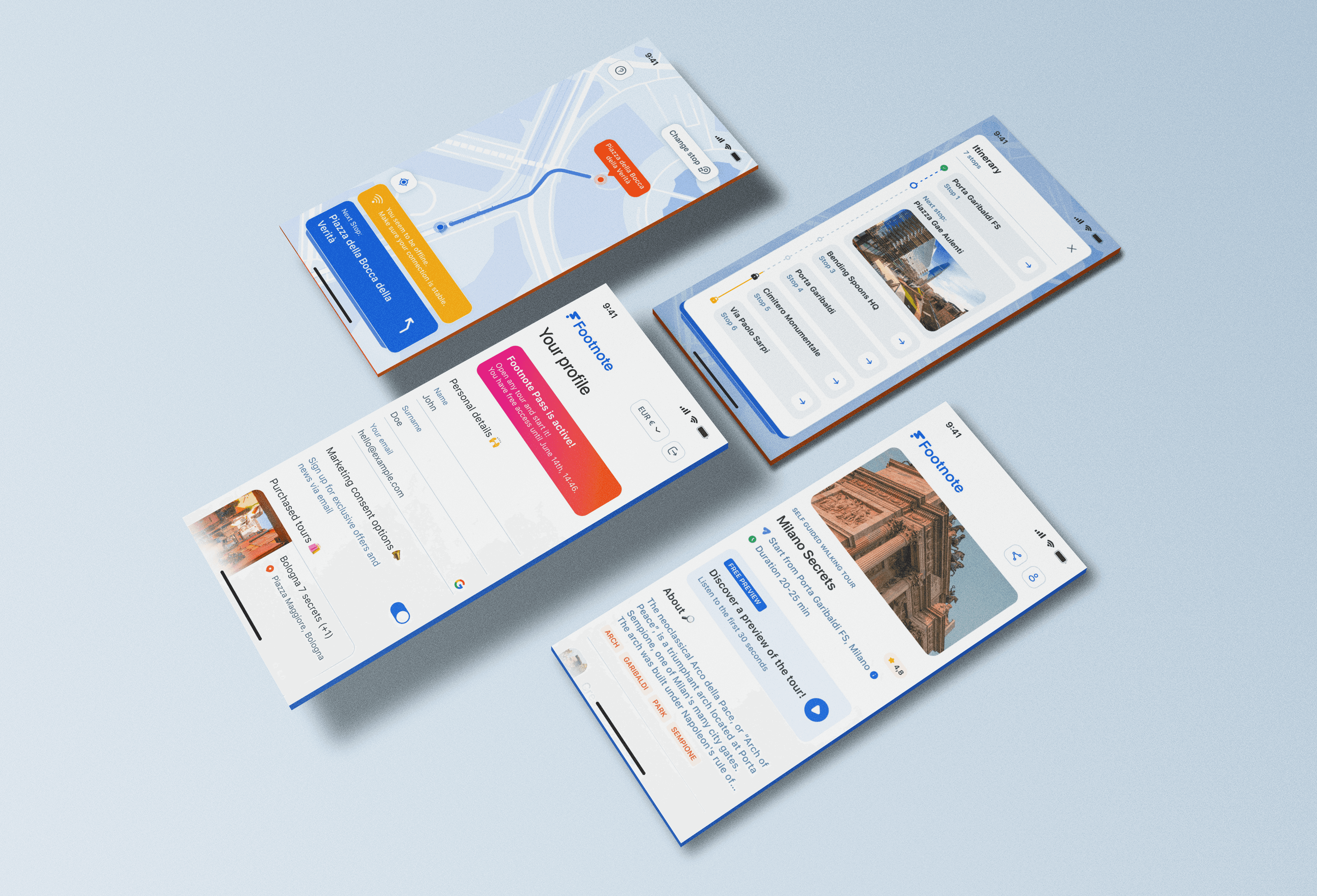
Footnote is a self-directed UI/UX design project exploring the potential of Figma for creating scalable mobile design systems. It combines my interests in travel, local exploration, and interaction design. I used this project to experiment with visual patterns, establish best practices in component based design, and structure a UI kit for an app that allows users to discover and navigate walking tours in major cities.
Click here to see the Figma UI kit
Tools:
Figma
Skills:
Design systems · UI kit creation · Mobile UI · Component libraries · Visual consistency · User flows · Wireframing

How it started
Inspired by my love for travelling and walking around big cities, I wanted to explore the idea of a city walking app that aids independent discovery instead of touristy guided tours. I imagined a product that would feel intuitive, charming, and scalable: something that could grow to support cities worldwide.
I therefore set myself the following problem statement:
“How might we design a mobile experience for travellers who want to explore cities on foot, at their own pace, and with suggestions based on their interests?”
This is how I came up with Footnote, an app that suggests walking tours based on local landmarks and lets users edit and navigate them via a map view, and an itinerary breakdown.
The user flow
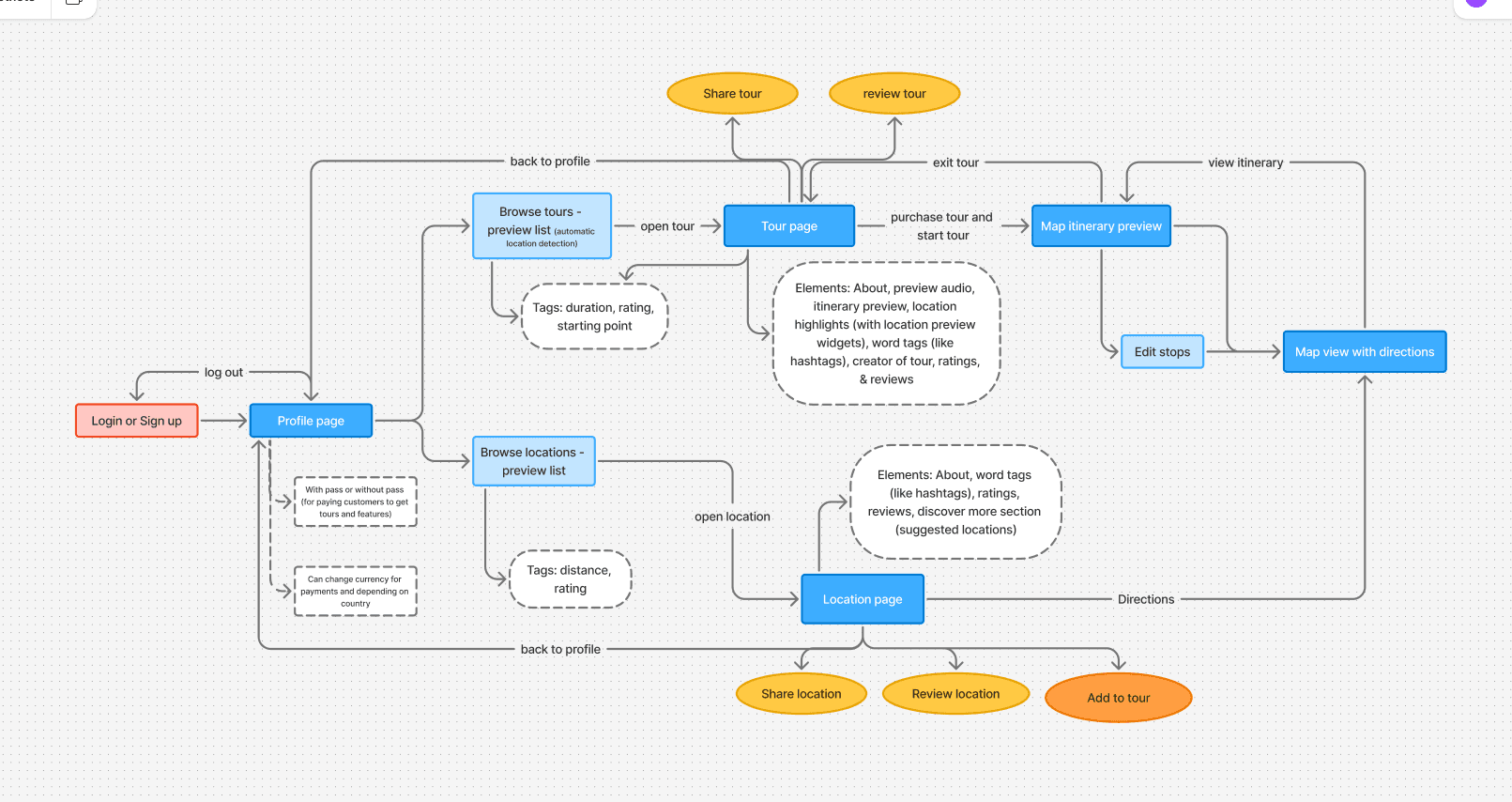
Before designing anything visually, I mapped out the user flow of the app with a simple diagram.
Since the objective was to create a flexible UI kit rather than a complete product, I selected five main screens to work with:
Profile setup
Explore city tours
Explore individual locations
Navigation map
Tour itinerary
These screens served as anchors to test reusability, modularity, and consistency in the design system.
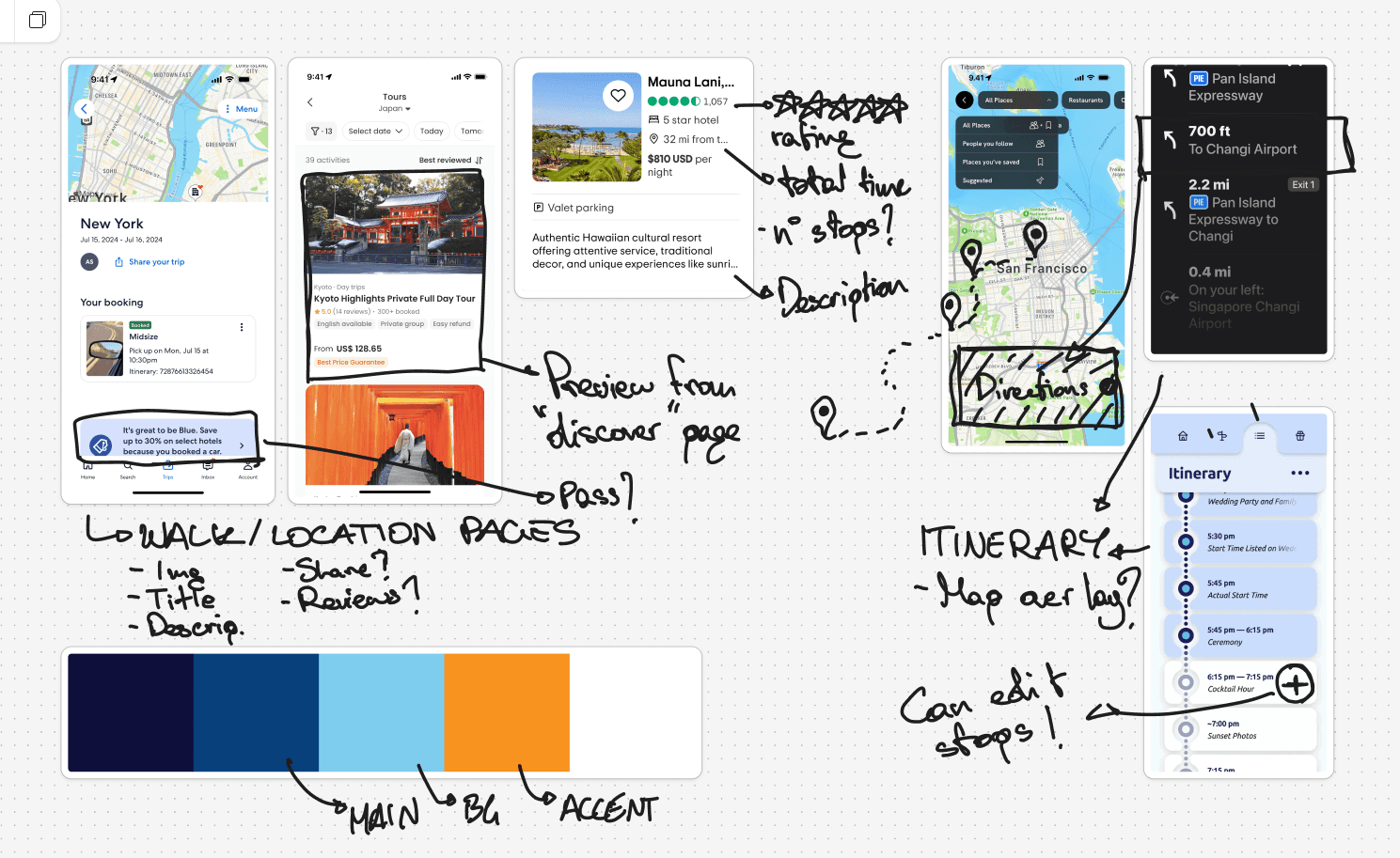
Wireframing
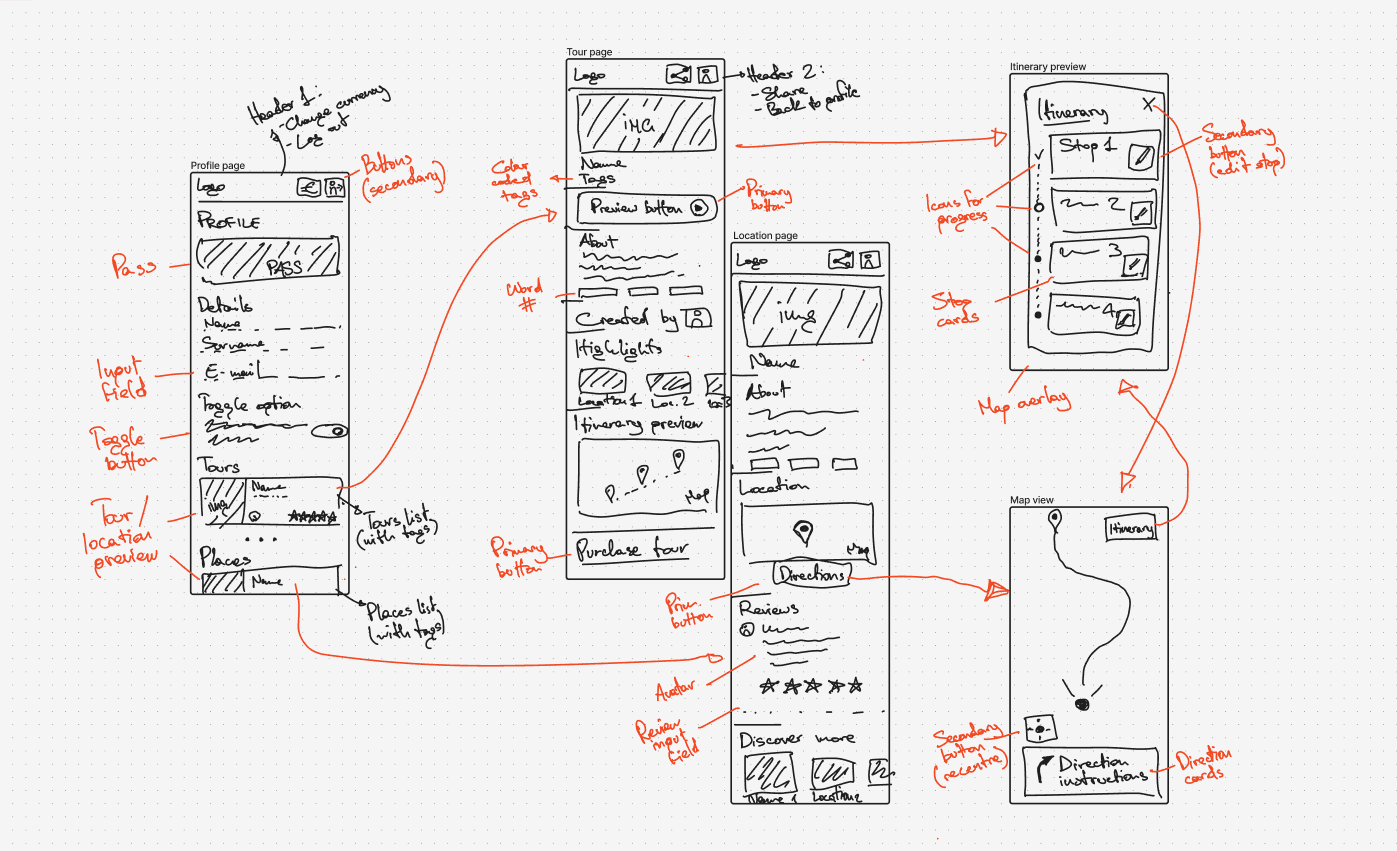
Once the user flow was clear, I sketched out low-fidelity wireframes to experiment with layout ideas, hierarchy, and functionality. This helped me test how visual elements like cards, tabs, avatars, and buttons would appear across multiple screens.
The sketches were essential in defining what UI components the kit would need, from toggle switches and alert boxes to map overlays and progress indicators.
Designing the UI kit
After wireframing, I built the high-fidelity UI in Figma and constructed a robust UI kit to support it. I began by defining these base styles:
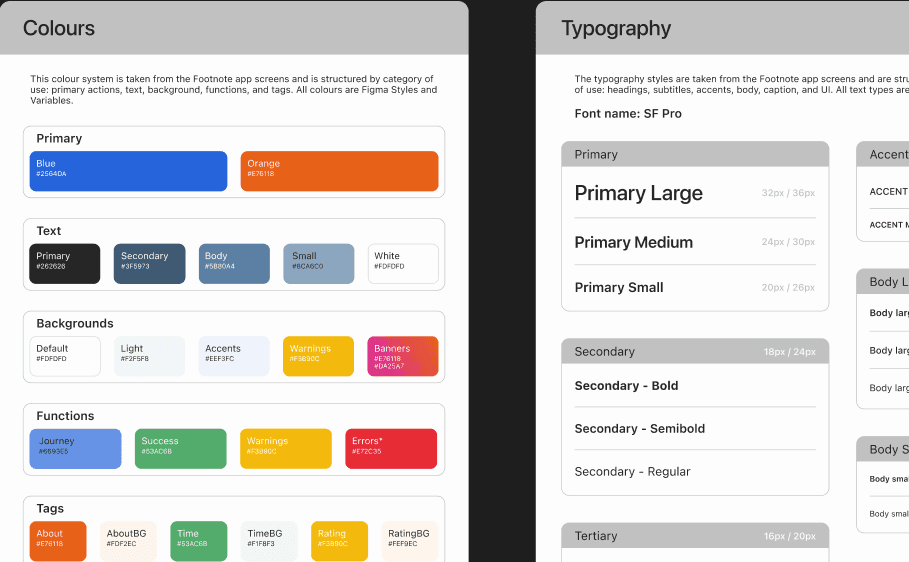
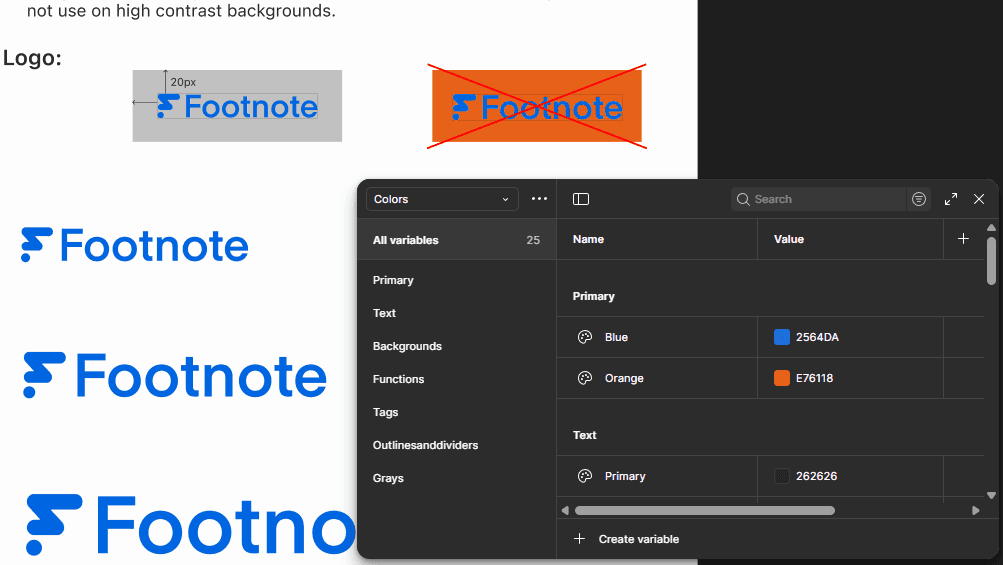
Colour palette
Typography
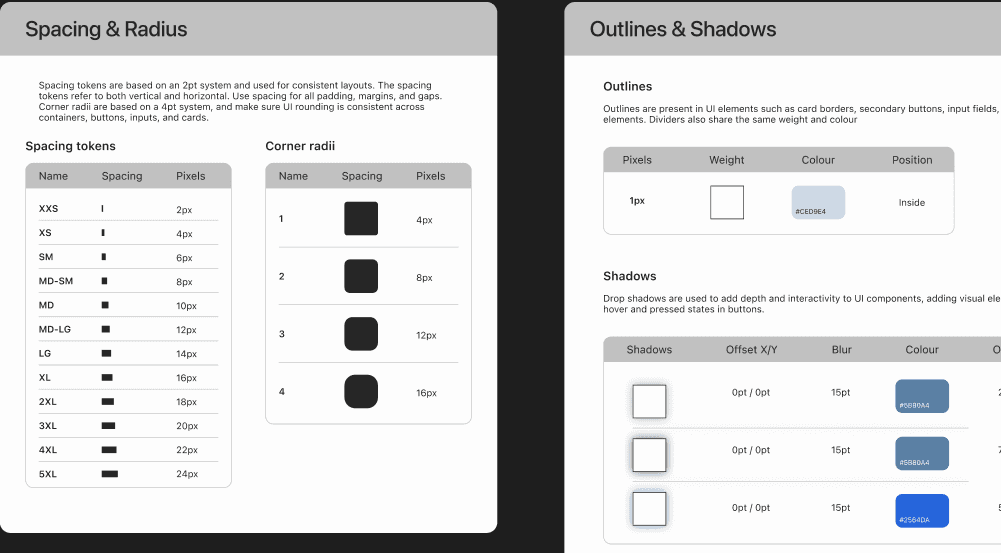
Grid system & spacing rules
Radius, elevation, and shadows
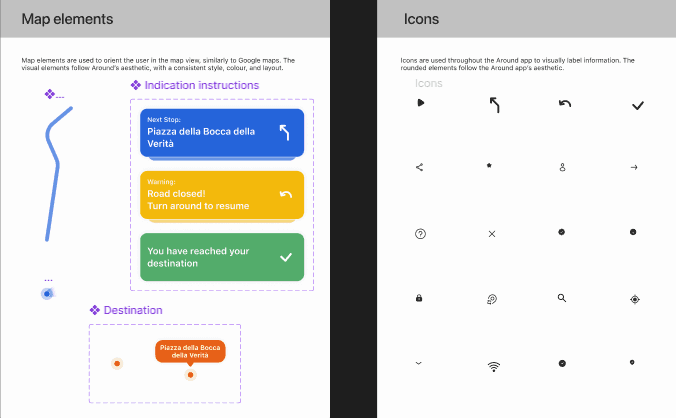
Iconography and logos
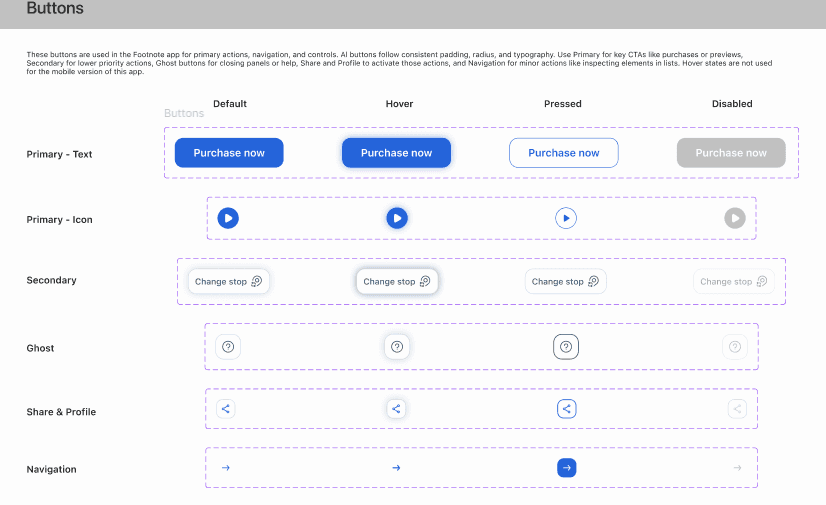
From there, I built scalable components including:
Buttons and toggles
Search bars and input fields
Alerts and statuses
Tour cards and preview blocks
Navigation bars,
A map UI
Avatars and ratings
Ensuring scalability & reusability
A key aim of this project was to practice designing at scale. I ensured that all components were:
Named clearly and consistently (e.g. Button/Primary/Small)
Built using styles and variables (for text, colour, radius, spacing)
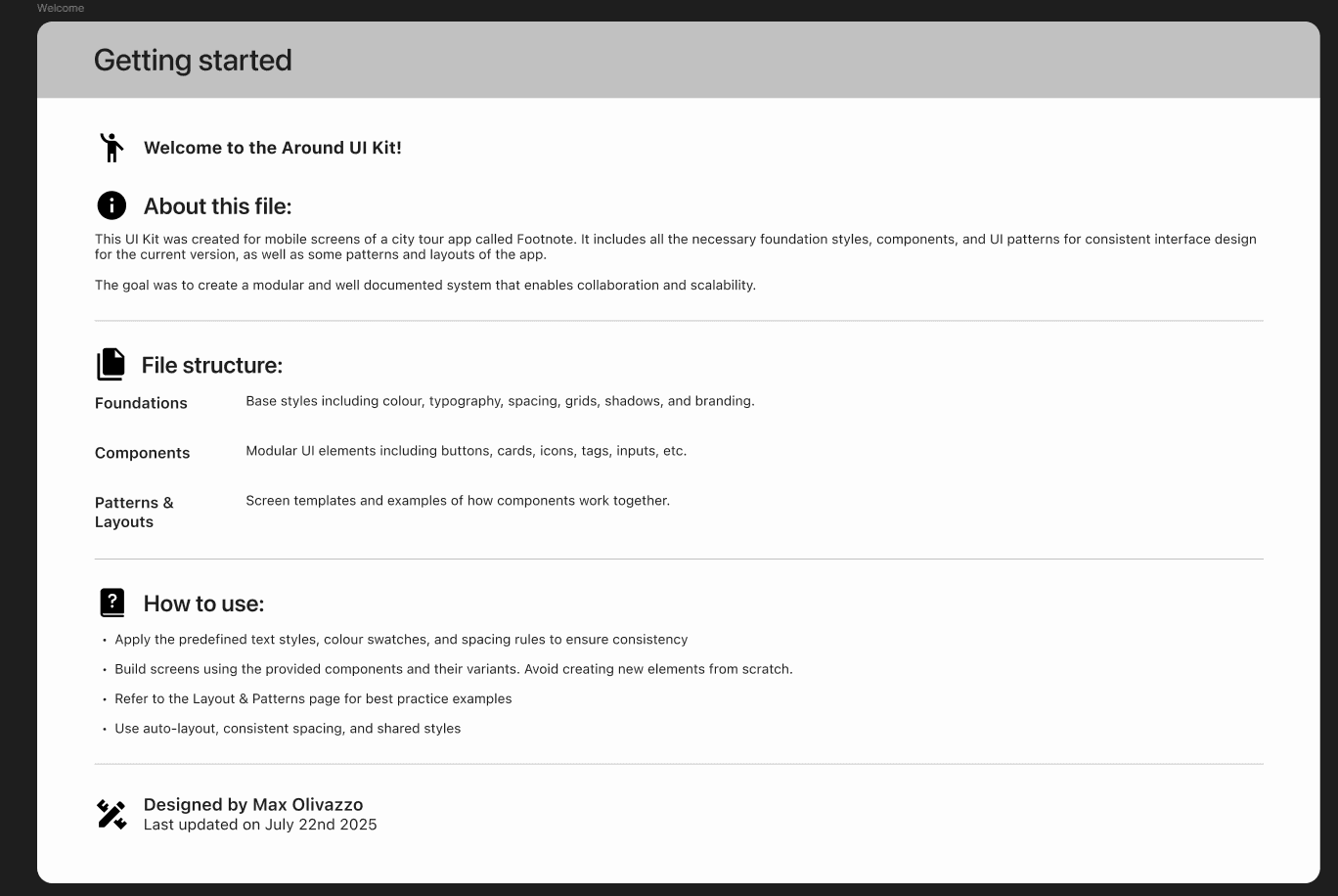
Grouped logically in the file (pages for Foundations, Components, Patterns)
Documented with annotations to guide other designers
I also included an Intro page explaining the structure and offering guidance for new team members or collaborators working with the system.
Final UI
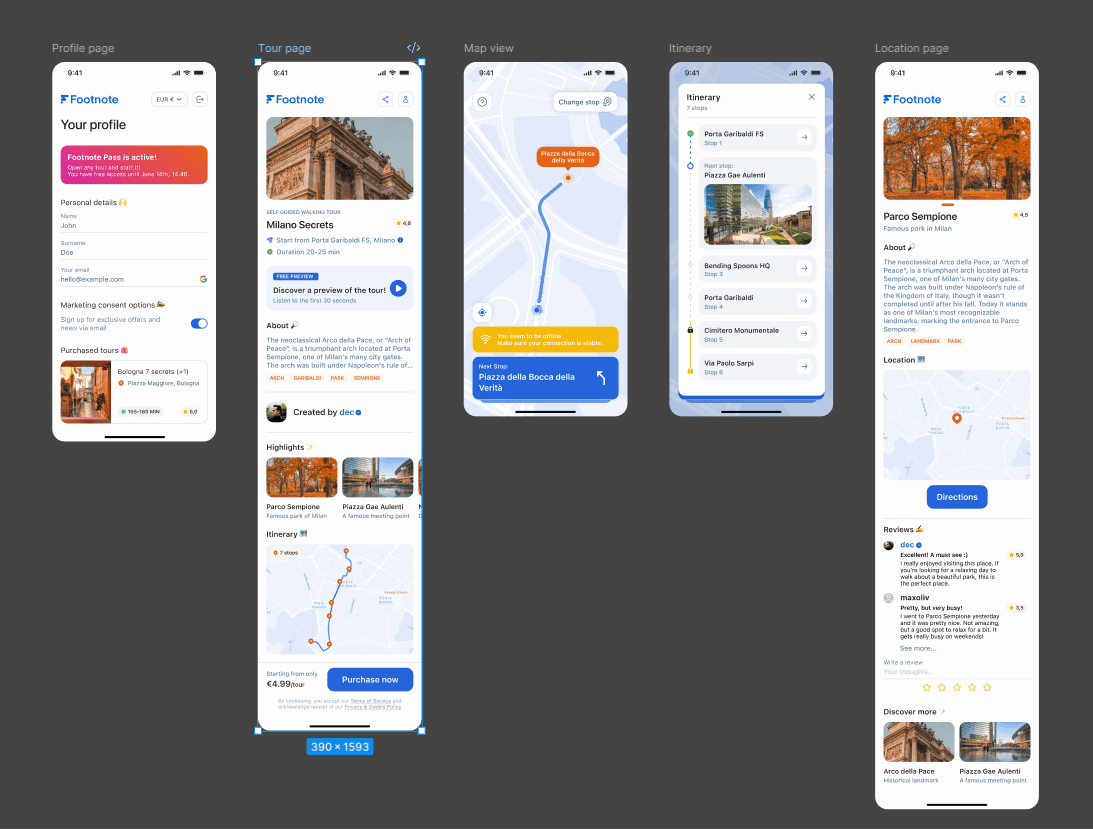
Using the completed UI kit, I recreated the five screens in high fidelity. These screens include real tour previews, map interactions, and itinerary navigation, mirroring a real-world use case of the product. Each element comes from the shared component library and reflects the visual language of the system I developed.
This project helped me deepen my understanding of Figma’s features, from tokens and component variants to clean file structure and best practices for designers. It also reflects my interest in travel, urban storytelling, and scalable design into a cohesive prototype.